Skip to content
View in the app

A better way to browse. Learn more.

The Crimson Market

A full-screen app on your home screen with push notifications, badges and more.

To install this app on iOS and iPadOS
  1. Tap the Share icon in Safari
  2. Scroll the menu and tap Add to Home Screen.
  3. Tap Add in the top-right corner.
To install this app on Android
  1. Tap the 3-dot menu (⋮) in the top-right corner of the browser.
  2. Tap Add to Home screen or Install app.
  3. Confirm by tapping Install.

News

A club blog for Feedback & Updates
  • Entries

    8
  • Comments

    8
  • Views

    3062

About this blog

Entries in this blog

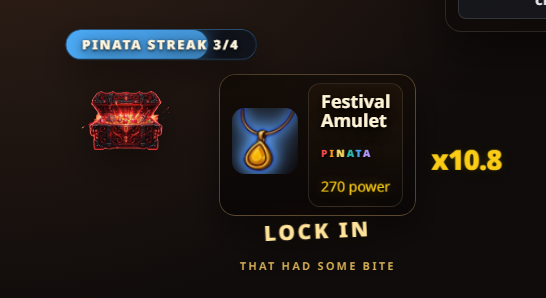
We’ve added a new mechanic to corpse scanning: Item Set Streaks.   Items now belong to sets, and if you keep hitting the same set across   item drops, your next item gets a power boost.   The first sets are:   - Standard   - High Noon   - Pinata   Current streak bonuses:   - 2nd matching set item: 1.5x   - 3rd: 2.0x   - 4th: 3.0x   After the 4th hit, the streak resets and the next item moves to a   different set.   What this means:   - item dro

Account

Navigation

Search

Search

Configure browser push notifications

Chrome (Android)
  1. Tap the lock icon next to the address bar.
  2. Tap Permissions → Notifications.
  3. Adjust your preference.
Chrome (Desktop)
  1. Click the padlock icon in the address bar.
  2. Select Site settings.
  3. Find Notifications and adjust your preference.