

Skip to content
View in the app

A better way to browse. Learn more.

The Crimson Market

A full-screen app on your home screen with push notifications, badges and more.

To install this app on iOS and iPadOS
  1. Tap the Share icon in Safari
  2. Scroll the menu and tap Add to Home Screen.
  3. Tap Add in the top-right corner.
To install this app on Android
  1. Tap the 3-dot menu (⋮) in the top-right corner of the browser.
  2. Tap Add to Home screen or Install app.
  3. Confirm by tapping Install.

News

A club blog for PC Giveaway Community
  • Entries

    33
  • Comments

    33
  • Views

    67181

About this blog

Information about the current rewards progress, what's happening regarding the club & more.
Entries in this blog

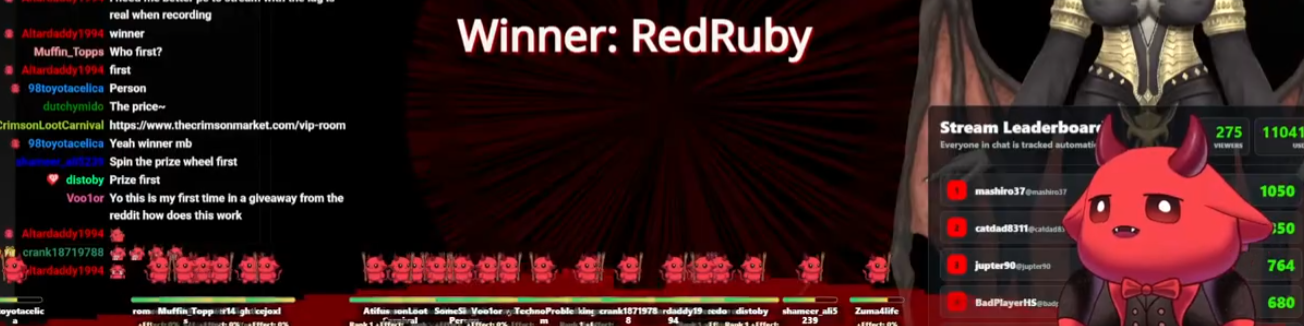
RedRuby is getting the Steam Deck in our first Weekly spin! Thank you everyone who did come and tune into our Carnival where players in our mini games also won 3x $20 steam gift cards and 3x $20 PayPal amongst other things. Hope to see you in the next one. RedRuby has been a member from very early days, he won a Black Box Computer 2 years ago!!! I flew to his country and met him personally for the first time, he let me stay at his place and I met his family, he's an amazing person and deser

Account

Navigation

Search

Search

Configure browser push notifications

Chrome (Android)
  1. Tap the lock icon next to the address bar.
  2. Tap Permissions → Notifications.
  3. Adjust your preference.
Chrome (Desktop)
  1. Click the padlock icon in the address bar.
  2. Select Site settings.
  3. Find Notifications and adjust your preference.
