
Skip to content
View in the app

A better way to browse. Learn more.

The Crimson Market

A full-screen app on your home screen with push notifications, badges and more.

To install this app on iOS and iPadOS
  1. Tap the Share icon in Safari
  2. Scroll the menu and tap Add to Home Screen.
  3. Tap Add in the top-right corner.
To install this app on Android
  1. Tap the 3-dot menu (⋮) in the top-right corner of the browser.
  2. Tap Add to Home screen or Install app.
  3. Confirm by tapping Install.

News

chat

Featured Replies

  • Replies 92
  • Views 1.3k
  • Created
  • Last Reply

Top Posters In This Topic

Most Popular Posts

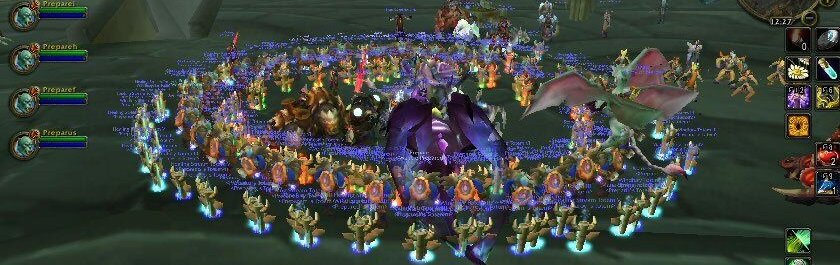
there were 4 goats floating around in a circle lmao Attachments: https://cdn.discordapp.com/attachments/1478453528648224769/1536490818871885894/Screenshot_2026-08-10_164339.png?ex=6a7b9815&is=6a7a4695&hm=866c86f50bd363007482f7d847f01d35de084f3d01b0dcc2f8e68fdc68350204&
Hey all just want to wish everyone luck this season in wow! After today I won't be back fir a very long while! It was a pleasure meeting everyone and wish you all the best. Happy questing my friends!!!
they will be hope you are well and have much fun gaming sir! Ill still be around a little today and tomorrow but saying farewell
I am doin ok. We have a hurricane warning here through the day, but it looks like the eye will go south of us, thankfully
<@1473802733600641146> did you get hacked? You keep messaging me about some MR Beast thing.
  • 4 weeks later...

Account

Navigation

Search

Search

Configure browser push notifications

Chrome (Android)
  1. Tap the lock icon next to the address bar.
  2. Tap Permissions → Notifications.
  3. Adjust your preference.
Chrome (Desktop)
  1. Click the padlock icon in the address bar.
  2. Select Site settings.
  3. Find Notifications and adjust your preference.
