Skip to content
View in the app

A better way to browse. Learn more.

The Crimson Market

A full-screen app on your home screen with push notifications, badges and more.

To install this app on iOS and iPadOS
  1. Tap the Share icon in Safari
  2. Scroll the menu and tap Add to Home Screen.
  3. Tap Add in the top-right corner.
To install this app on Android
  1. Tap the 3-dot menu (⋮) in the top-right corner of the browser.
  2. Tap Add to Home screen or Install app.
  3. Confirm by tapping Install.

News

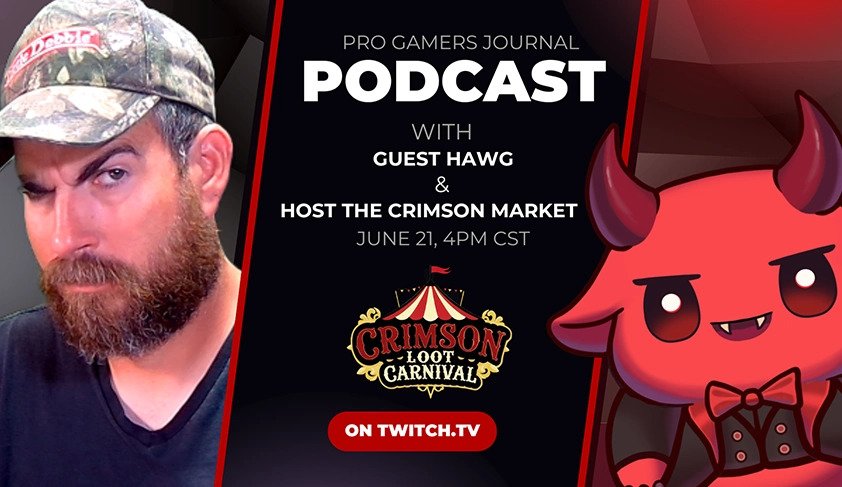
Hawg Guest - The Most Entertaining Content Creator Right Now

(0 reviews)

Join us live for the most anticipated Pro Gamers Journal episode yet — featuring Hawg_TV, the legendary ARPG Twitch streamer known for fishing on a boat while slaying bosses in Last Epoch and launching the viral #D4Bad movement. We’re broadcasting from the Crimson Loot Carnival with exclusive insights into Hawg’s journey, his biggest wins and hardest burnout moments, and how he built one of the most loyal gaming communities on Twitch.

Expect raw honesty, laughs, and surprises — including a $100 mini-game giveaway and a live tarot reading only triggered when Hawg looks at his haunted doll and says: “Let me in.

Whether you're a fan of Hawg, a Diablo 4 critic, or a content creator looking to grow, this episode is pure gold.

🎮 Watch live, win loot, and witness the legend of Hawg unfold.

You can find the podcast here : https://www.twitch.tv/crimsonlootcarnival
The Youtube recaps here : https://www.youtube.com/@ProGamersJournal 

Find Hawg_TV

twitchLink: https://www.twitch.tv/hawg_tv
youtubeLink: https://www.youtube.com/@hawg_tv
xLink: https://x.com/realhawgtv


Hawg_TV, Hawg Twitch, Hawg Last Epoch, ARPG streamer, Diablo 4 Twitch, Crimson Loot Carnival, Pro Gamers Journal, gaming podcast, content creator interview, Twitch giveaways


Edited by Merzal#1414

User Feedback

Recommended Comments

There are no comments to display.

Account

Navigation

Search

Search

Configure browser push notifications

Chrome (Android)
  1. Tap the lock icon next to the address bar.
  2. Tap Permissions → Notifications.
  3. Adjust your preference.
Chrome (Desktop)
  1. Click the padlock icon in the address bar.
  2. Select Site settings.
  3. Find Notifications and adjust your preference.