

Skip to content
View in the app

A better way to browse. Learn more.

The Crimson Market

A full-screen app on your home screen with push notifications, badges and more.

To install this app on iOS and iPadOS
  1. Tap the Share icon in Safari
  2. Scroll the menu and tap Add to Home Screen.
  3. Tap Add in the top-right corner.
To install this app on Android
  1. Tap the 3-dot menu (⋮) in the top-right corner of the browser.
  2. Tap Add to Home screen or Install app.
  3. Confirm by tapping Install.

News

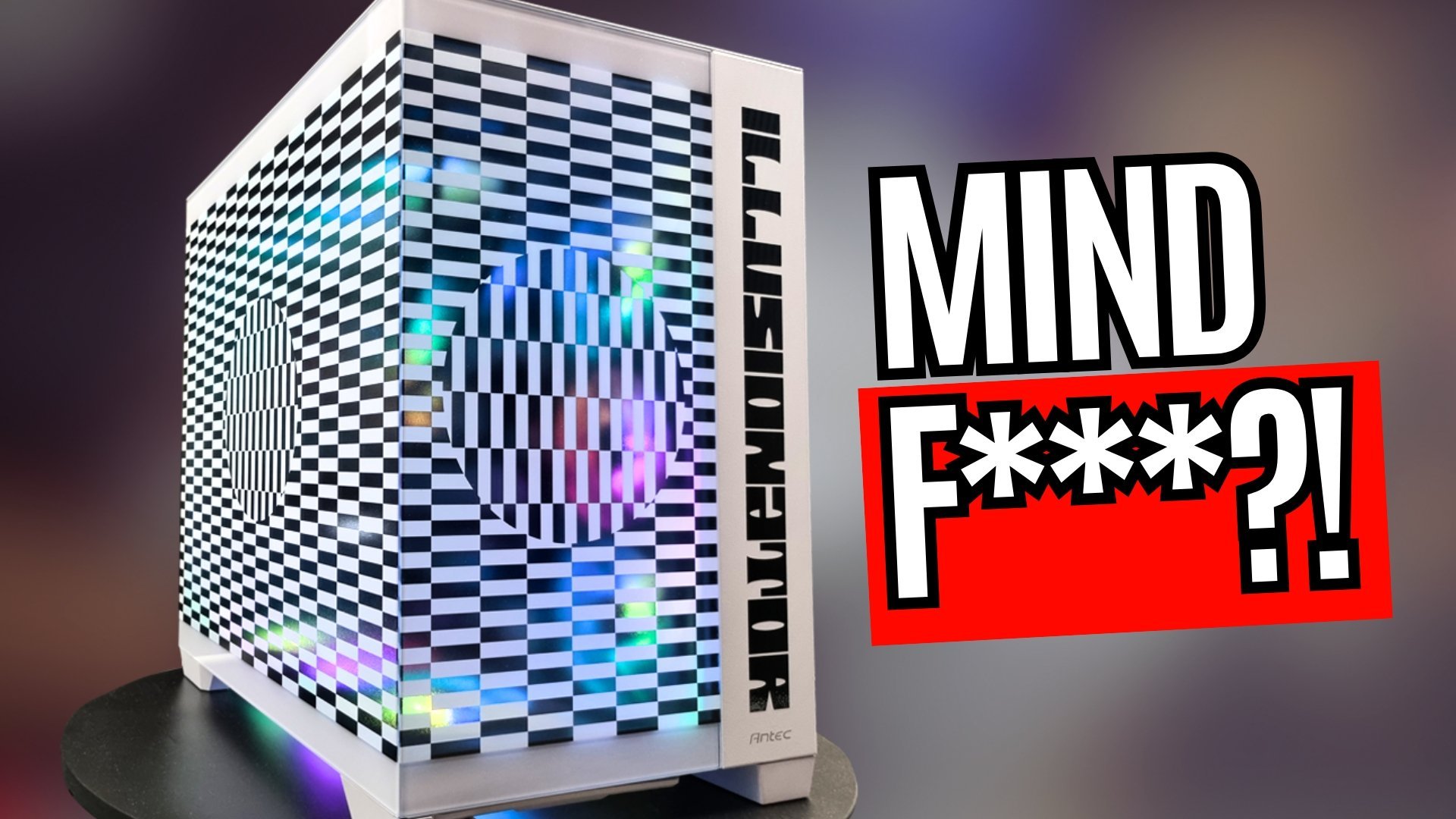
The Illusionator is OUT

We finished this bad boy, we did two rounds on the panel because we were experimenting with how to get the optical illusions to look the best while also being able to see the components inside.

I really love this one and think we will do more of these because we've brainstormed a few more ideas regarding how far we can go with the optical illusion blending with the inner components.

This also made me think of a new stream our team might get into, which is kinetic computers, ones that move in interesting ways.

Unboxing : 

Timelapse: 
 

Full Build:


Showcase: 


Please let us know what you think in the comments below!

0 Comments

Recommended Comments

There are no comments to display.

Guest
Add a comment...

Account

Navigation

Search

Search

Configure browser push notifications

Chrome (Android)
  1. Tap the lock icon next to the address bar.
  2. Tap Permissions → Notifications.
  3. Adjust your preference.
Chrome (Desktop)
  1. Click the padlock icon in the address bar.
  2. Select Site settings.
  3. Find Notifications and adjust your preference.
