

Skip to content
View in the app

A better way to browse. Learn more.

The Crimson Market

A full-screen app on your home screen with push notifications, badges and more.

To install this app on iOS and iPadOS
  1. Tap the Share icon in Safari
  2. Scroll the menu and tap Add to Home Screen.
  3. Tap Add in the top-right corner.
To install this app on Android
  1. Tap the 3-dot menu (⋮) in the top-right corner of the browser.
  2. Tap Add to Home screen or Install app.
  3. Confirm by tapping Install.

News

Raiding

Hello all my name is Josh AKA Catdad. Im going to be helping run the raid im currently gearing my healer. I use to raid lead for years and main tanked healed and ranked in the top 20 in dps as a hunter for years. Im so excited to get to join and play with a new group of friends. 


What I need from you is day and times that work for you all to raid. If we have enough interest for more than one day I dont mind running 2 raid teams but i just need to know what days and times work best so we can get everyone going! This will give me the foundation to start building a raiding team!

Edited by Cat_Dad8311

6 Comments

Recommended Comments

Prusty

Members

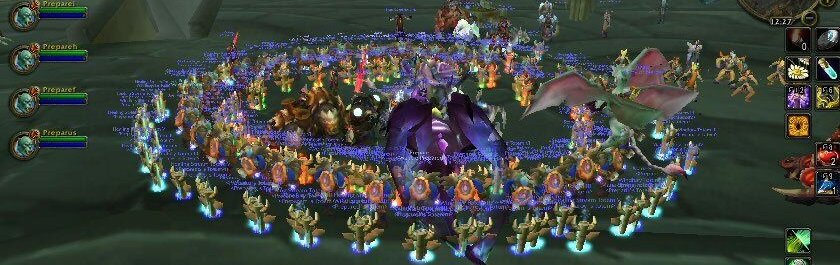
Prot Pally, was the Tank for that Raid 🙂
Would love to continue raiding each weekend if possible.image.thumb.png.b6916552ab3976ff6baf59614e7a8575.png

Cat_Dad8311

Members

Why yes sir I look forward to seeing you then i will try nkt to let you does when I heal. FYI you will die lol

Elisian

Members

Vengeance (tank) DH.  

SbBryan#1730

Members

pulls-illidan dps frost mage
can raid any day from 12pm pst - 7pm pst 

mashiro37

Members

DPS MAGE

Preferred Sunday/Mondays nights (US Time)

gandelin

Members

Any weekday after 7pm (NZST) +12 

Sundays all day (aka current raid). 

DPS: Assassination Rogue 
Alts: DH (Devourer), Paladin (Ret)

Guest
Add a comment...

Account

Navigation

Search

Search

Configure browser push notifications

Chrome (Android)
  1. Tap the lock icon next to the address bar.
  2. Tap Permissions → Notifications.
  3. Adjust your preference.
Chrome (Desktop)
  1. Click the padlock icon in the address bar.
  2. Select Site settings.
  3. Find Notifications and adjust your preference.