Skip to content
View in the app

A better way to browse. Learn more.

The Crimson Market

A full-screen app on your home screen with push notifications, badges and more.

To install this app on iOS and iPadOS
  1. Tap the Share icon in Safari
  2. Scroll the menu and tap Add to Home Screen.
  3. Tap Add in the top-right corner.
To install this app on Android
  1. Tap the 3-dot menu (⋮) in the top-right corner of the browser.
  2. Tap Add to Home screen or Install app.
  3. Confirm by tapping Install.

News

A club blog for Feedback & Updates
  • Entries

    8
  • Comments

    8
  • Views

    3171

About this blog

Entries in this blog

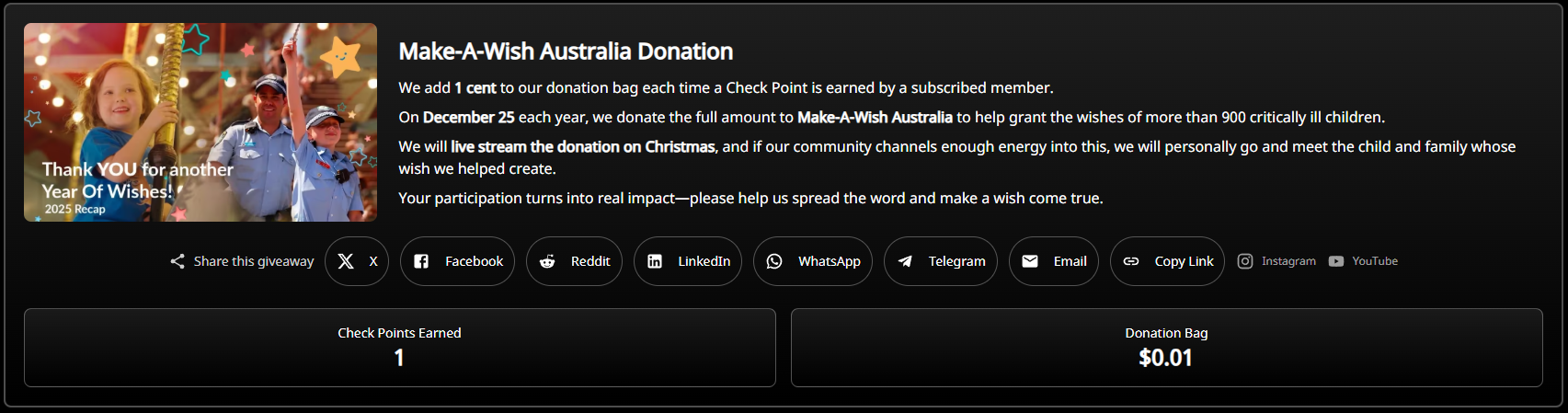
Hi everyone, We've come across Make A Wish Australia which helps over 900 terminally ill kids obtain something they wish for, after hearing the stories behind this, we saw that a long of young male kids wish for computers. We want to grant a wish for a child registered for Make A Wish Australia every Christmas so we started to build out a system to allow our community to help make this happen together. Plus, this is a very good way to earn Loyalty Points moving forward.  All

Account

Navigation

Search

Search

Configure browser push notifications

Chrome (Android)
  1. Tap the lock icon next to the address bar.
  2. Tap Permissions → Notifications.
  3. Adjust your preference.
Chrome (Desktop)
  1. Click the padlock icon in the address bar.
  2. Select Site settings.
  3. Find Notifications and adjust your preference.