Jump to content

News

Search the Community

Showing results for tags 'overlay'.

  • Search By Tags

    Type tags separated by commas.
  • Search By Author

Content Type


Forums

  • Game Services, Groups & Builds
  • Diablo 4
    • Group
    • Service
    • Build
  • Path of Exile 2
    • Group
    • Service
    • Build
  • Diablo 2 Resurrected
    • Group
    • Service
    • Build
  • Other
    • Group
    • Service
    • Build
  • Miniatures's General
  • PC Giveaway Community's Build & Technical Help
  • PC Giveaway Community's Build Log & Education
  • PC Giveaway Community's General
  • Electric Cars's General
  • Programming's General
  • THE UNDERDOGS's Topics
  • Magic The Gathering's Content Exposure
  • Magic The Gathering's General
  • Giveaway Club Owners's Social Media Circle
  • Feedback & Updates's Questions & Answers
  • Arc Raiders Trade Community's Arc Raiders Trade Price Guide
  • World of Warcraft's Raid Reward System
  • World of Warcraft's General/Help
  • World of Warcraft's Recruiter Incentives

Categories

  • Content Creators & Gamers
    • Stream Assets
    • Avatars
    • Apps, Bots & Programs.
  • Crafters & 3D Printing
    • Miniatures
  • Other
    • eBooks
    • Music
  • Magic The Gathering's Premium Tiers
  • World of Warcraft's Addons

Calendars

  • Community Calendar
  • PC Giveaway Community's Reward Calendar
  • Crimson Loot Carnival's Upcoming Podcasts
  • Diablo 4 PvP Community's S9 PvP Ultimate Championship
  • Diablo 4 PvP Community's Eternal Diablo Championship
  • Magic The Gathering's Giveaway
  • World of Warcraft's Raid/RBG Calender

Product Groups

There are no results to display.

Blogs

  • Miniatures's Blog
  • PC Giveaway Community's News & Updates
  • PC Giveaway Community's Articles
  • Electric Cars's Articles
  • Programming's Knowledge
  • Programming's Tips and Tricks
  • Programming's Coding Challenges & Algorithms
  • Fallout76's News
  • Crimson Loot Carnival's News
  • Diablo 4 PvP Community's Guides & Knowledge
  • Giveaway Club Owners's How To
  • Feedback & Updates's Updates
  • Arc Raiders Trade Community's Articles
  • Action Potential's Noobie
  • World of Warcraft's Giveaways/Bounties
  • World of Warcraft's Articles & WoW News
  • World of Warcraft's Guild News

Categories

  • PC Giveaway Community's Live Giveaway
  • Crimson Loot Carnival's Live Giveaway

Categories

  • Public Raffle
  • Crimson Loot Carnival's Raffles

Find results in...

Find results that contain...


Date Created

  • Start

    End


Last Updated

  • Start

    End


Filter by number of...

Joined

  • Start

    End


Group


About Me

Found 1 result

  1. Version 1.0.0

    0 downloads

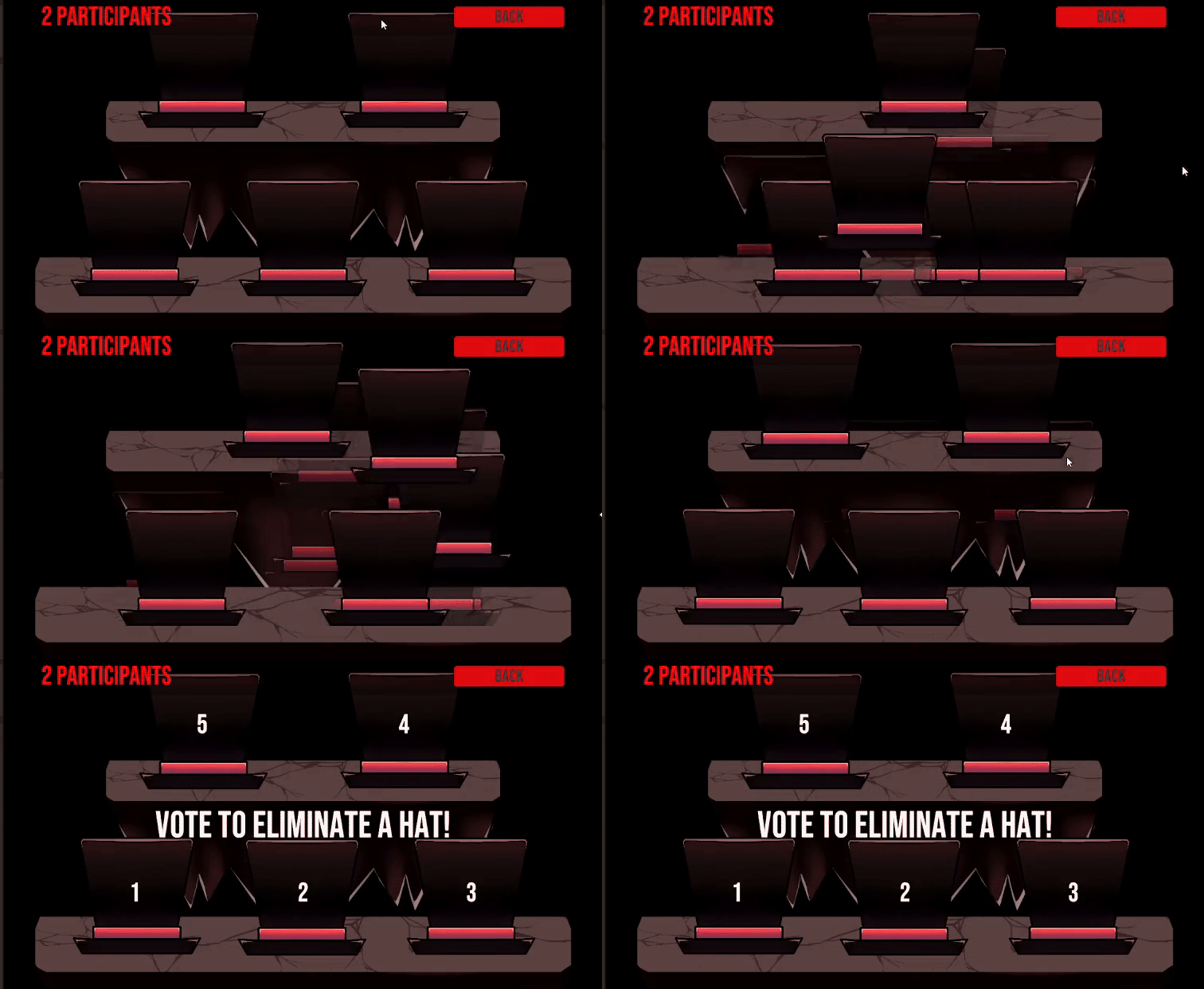
    Getting Started & How To Play: Extract the zipped folder into a folder & Run the TCMHatGame.exe. Click the "TWITCH LOGIN" button. It will open a browser, requiring you to enter a code. The required code should be entered in the field already, if not, it is in the URL. Once you log in with Twitch, you can now click the button that starts the game. Use the "Enable Join" button to create a "Channel Point Reward" which will be the button for your viewers to join the game. Once you think enough people have joined, press start and the viewers will be shuffled in hats. Now a vote will appear in your Twitch chat. Your viewers can vote for a hat to get eliminated. Demons that were shuffled into the most voted hat will meet their doom while the rest continue the game. After multiple votes, the last demon standing wins the game. [Esc] key opens and closes the main menu. This is an early-test version, potential bug fixes, visual upgrades and UI improvements will be coming soon!
    5.00 USD
Remove Ads
×
×
  • Create New...