.thumb.png.041942ccbc421517353baefb42e877b6.png)
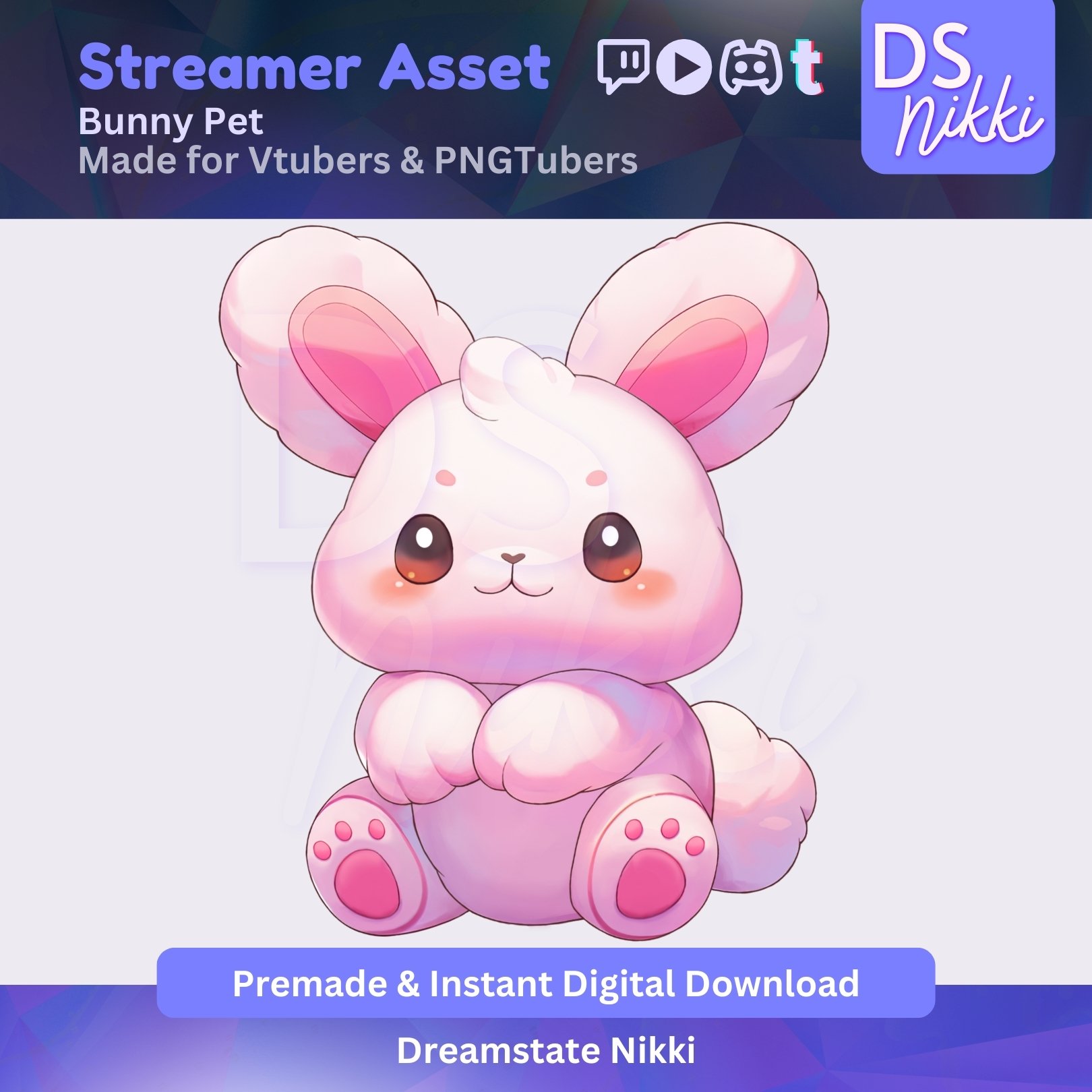
Hop into cozy stream vibes with this Animated Bunny VTuber Pet Pal! 🐰✨ Designed to be your adorable on-screen sidekick, this Live2D moc3 and WEBM companion is perfect for VTubers and PNGTubers who want to add a dash of cuteness and personality to their Vtube Studio or Twitch overlay.
This sweet little bunny is animated and full of life — ready to bounce alongside you during just chatting streams, gaming sessions, or cozy content creation. A must-have VTuber asset for kawaii aesthetics, seasonal themes, or chill vibes!
🎀 What’s Included?
✨ 1 Bunny Looping Animation WEBM File for streaming software
✨ 1 Bunny Looping Animation Moc3 Folder for Vtube Studio
✨ High-Resolution, No Watermarks – Instant Download
✨ Guide to import into OBS streaming software.
✨ Guide to import into Vtube Studio.
🌸 Where Can You Use These?
✅ This asset was designed to be used for Vtubers or Pngtubers. You may use it for Twitch.tv, but can also be used on other streaming platforms such as YouTube, Discord and TikTok.
⚡ Instant Download – No Waiting!
This is a digital product – no physical item will be shipped. Once your purchase is complete, you’ll receive an instant download link.
📥 How to Download & Import:
1️⃣ Purchase & download the ZIP folder instantly.
2️⃣ Follow the included step-by-step guide for easy import.
⚠️ Important Information
🔸 No refunds on digital items, but I’m happy to assist with any issues!
🚨 Terms of Use 🚨
🔹 Redistribution, reselling, or NFT usage is strictly prohibited.
🔹 Used exclusively by the person who purchased it.
🔹 Ownership & copyrights remain with Dreamstate Nikki.
💌 Have Questions?
If you need any help or have any questions, feel free to message me. I’d love to help! 😊

You may only provide a review once you have downloaded the file.
There are no reviews to display.