
All Activity
- Past hour
-
 Hound#12535 joined the community
 -
 Tpeterloff joined the community
 -

Kris Kringle - Black Box - For Family & Friends
Macsusc commented on Macsusc's raffle in Public Raffle
 Secret 🙂 However shipping this large of a box might have been a totally over kill idea LOL!
 -
 Basti joined the community
 - Today
-
 Bsousa06 joined the community
 -
 K3NZO#3654 joined the community
 -
 N0MaD79 joined the community
 -
 SilentSean#21752 joined the community
 -
 Escanor joined the community
 -
 Nihilli#2935 joined the community
 -
 rinzler joined the community
 -
 onep43553games changed their profile photo
 - Yesterday
-
 Amza changed their profile photo
 - Last week
-

Kris Kringle - Black Box - For Family & Friends
mikahelll1 commented on Macsusc's raffle in Public Raffle
what is in the box? gimme -
Looking good 🙂
- Earlier
-
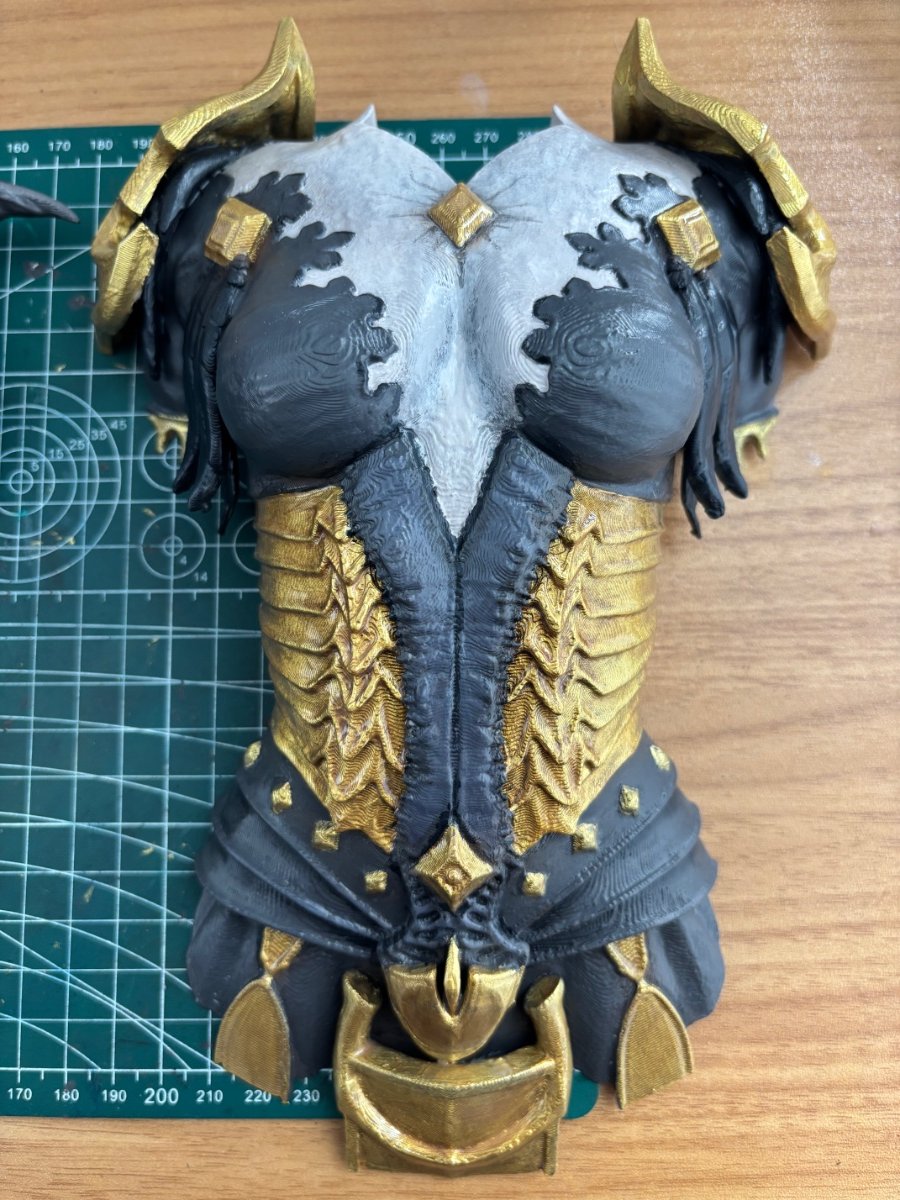
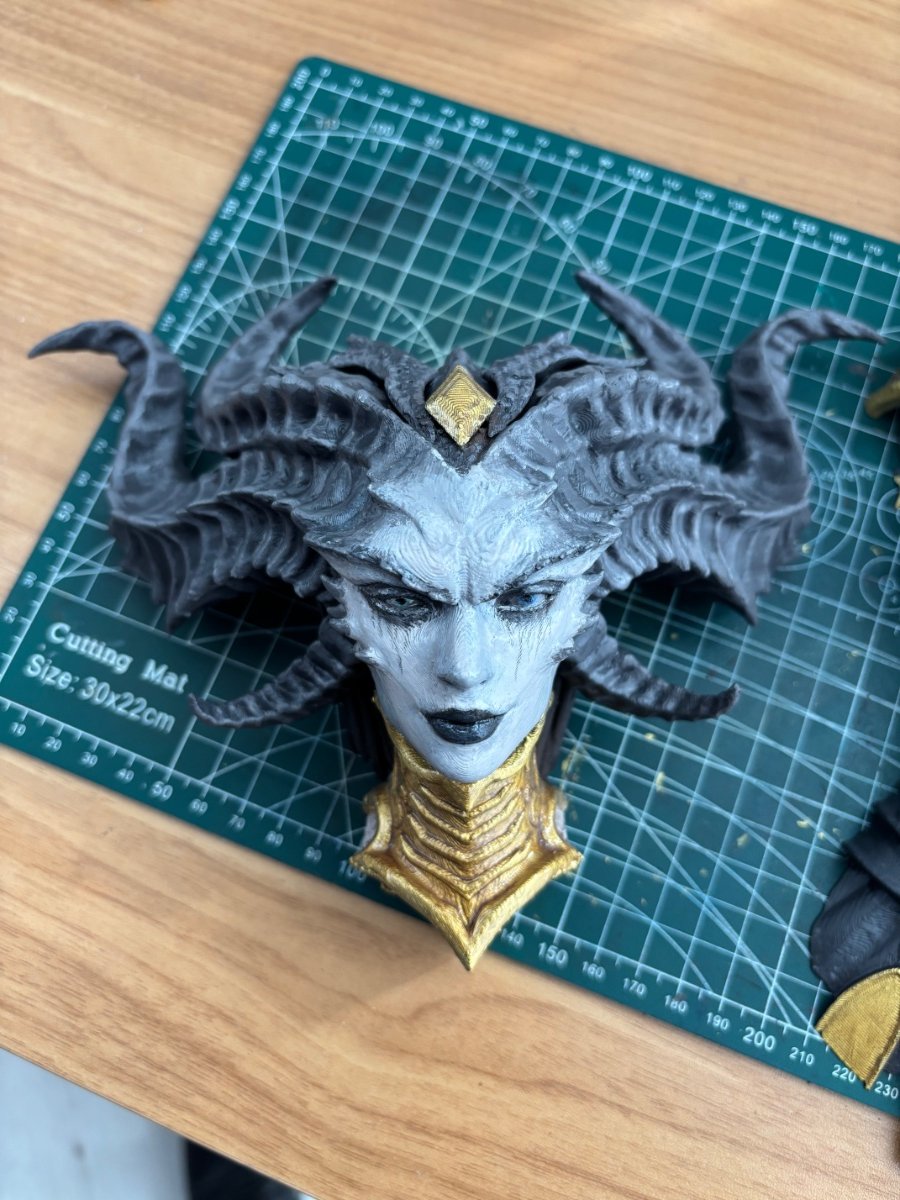
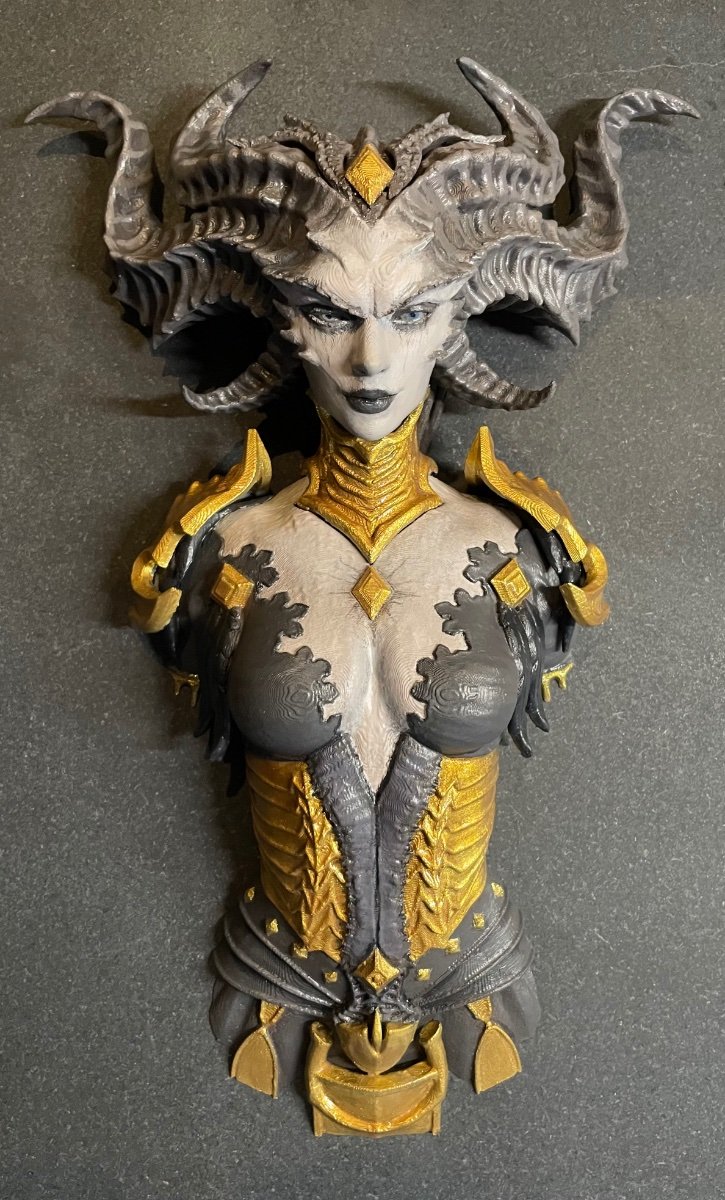
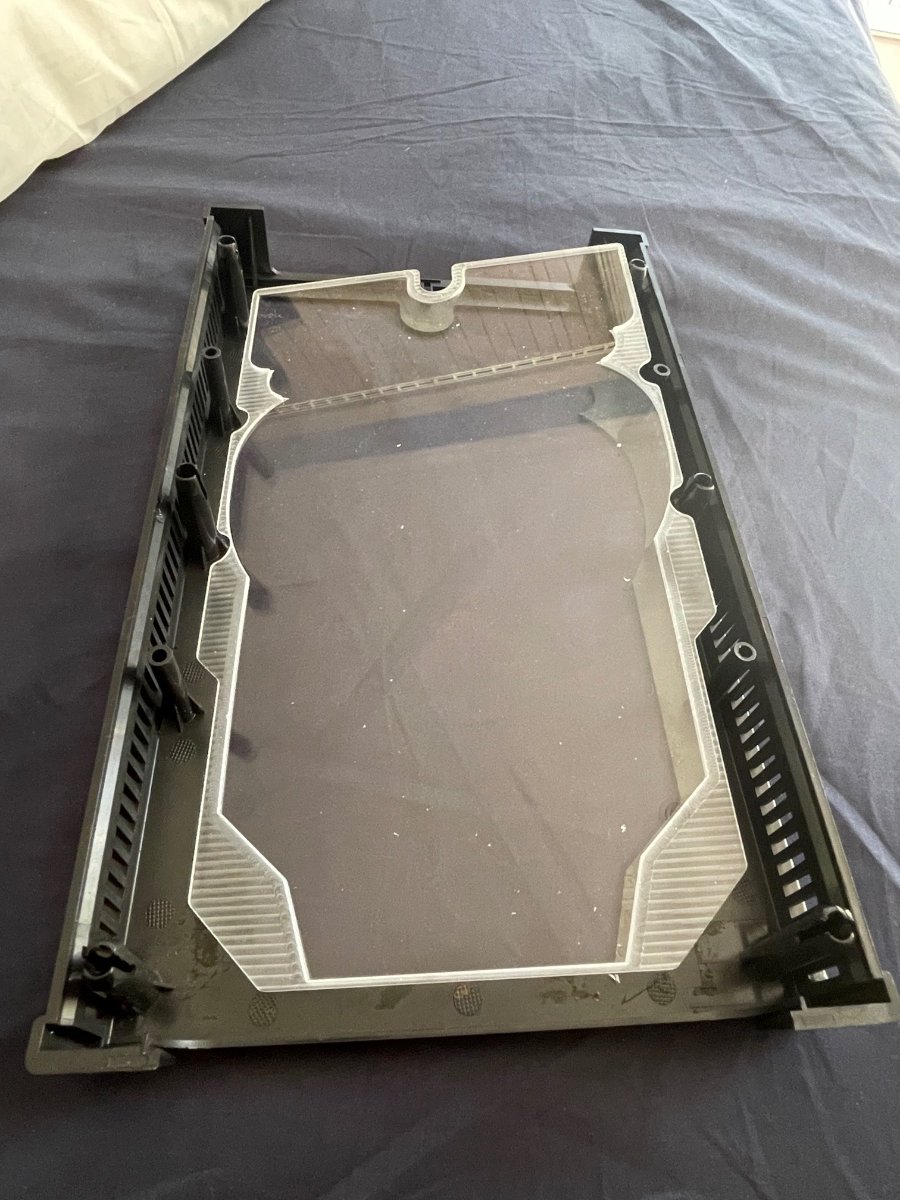
Waiting 3 weeks to get my bandsaw fixed, just needed a few bits of rubber but finally could do the grinding to fit the head on. When I separated the head from the body in the software it left a few open faces and the 3d printer software corrected it but made the part a different shape. So the head wouldn’t slide on easy. I used the bandsaw to cut off the excess you will see it in the build video. Band saw is great because it cuts vertical.

-
 🔥 T4 – Bosses Run 🔥 (Duriel, Andariel, Zir, Grigoire, Varshan, Belial, Urivar) Offering Torment IV boss runs – fast and efficient clears of all major bosses. ✅ Quick & safe kills ✅ You just join – I handle everything ✅ Great for Unique, Ancestral Unique ✅ Perfect for farming & endgame progression 📌 Requirements: – Torment IV (T4) unlocked - Boss materials to open your chest 💬 Message me to schedule your T4 boss runs!
 -
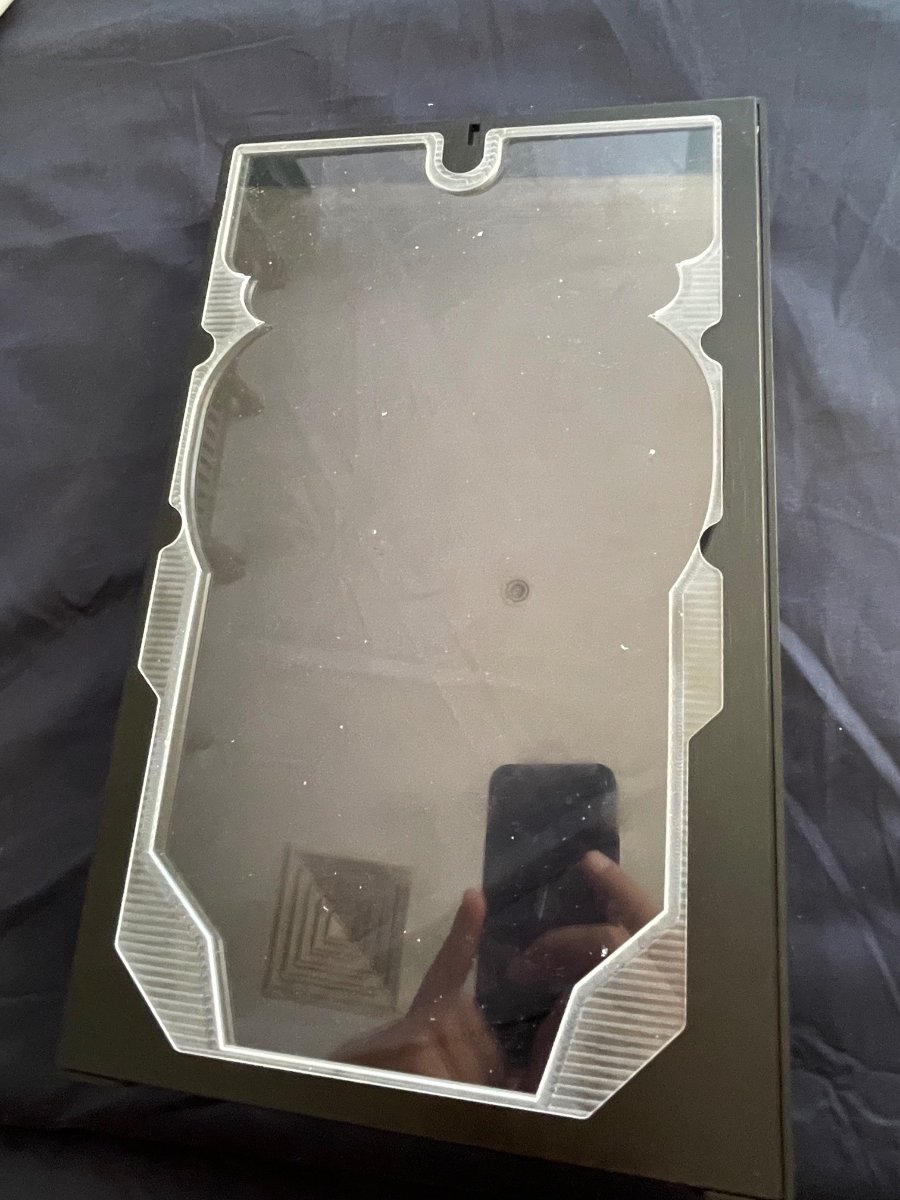
Second attempt at cutting panel, after 16 hours of reprogramming and reprocessing I may have a solid program for this. IMG_4882.mov
-
First attempts at cutting the acrylic and case panel. The case panel is now in modifiable because there is no reference point to re align the cutting with the existing cuts made. Unfortunately the model didn’t take into account the location of the pegs so the sheet doesn’t quite fit, will need to redo and also the tolerance was too tight. This is early days for cnc milling on the Carvera. Already 3 tools broken since the software was picking speeds from library and not the tools designated speed. Lessons learned with every snapped bit. IMG_4858.mov IMG_4874.mov
-

Illusionator PC crashing/powering off while gaming
DaWalrus replied to DaWalrus's topic in Computers's Build & Technical Help
Thank you for your help. I just put in a support ticket with XFX. I can update this thread when I receive the fixed card/ new card to confirm that the issue is resolved. -
 Since the fans don't spin at all when the PC is booted on, then it extremely likely to be either the internal fan power connector on the PCB or the card's fan control circuitry must be defective, now due to the item still being under warranty, the next step is to send the GPU itself back to the manufacturer for RMA (Return Merchandise Authorization), where they would determine whether or not it is able to be fixed or if it just needs to be replaced.
 -
Illusionator PC crashing/powering off while gaming
DaWalrus replied to DaWalrus's topic in Computers's Build & Technical Help
The fans do not spin when the pc is booted. I tried to use MSI Afterburner yesterday to try to do exactly what you said and they didn’t respond. Also when I installed Afterburner I had uninstalled Adrenaline just in case there was a software conflict. -
Gday, this sucks to hear you're going through this DaWalrus. Now firstly, I would start by installing MSI AFTERBURNER, and seeing if the fans will spin if forced to. If you have used MSI Afterburner to force the fans on your brand new XFX Swift Radeon 9070XT to a set speed (e.g., 50% or 100%) and they still do not spin, this strongly indicates a hardware issue or a software conflict. Which could mean either there is a conflict of power between AMD Adrenalin and MSI Afterburner, or since the card is brand new and software control is failing, the fans themselves, the internal fan power connector on the PCB, or the card's fan control circuitry might be defective. A key indicator of this is that the fans likely do not spin briefly when you first boot your PC. Do the fans slightly spin, or move at all when you first power on the PC?
-
Illusionator PC crashing/powering off while gaming
DaWalrus replied to DaWalrus's topic in Computers's Build & Technical Help
Yeah, I reseated the GPU earlier and also the two 6x2 cables, both going into the GPU and into the PSU. -
Illusionator PC crashing/powering off while gaming
DaWalrus replied to DaWalrus's topic in Computers's Build & Technical Help
The fans are, unfortunately, still unresponsive even at these settings. I also tried a stress test a moment ago and the GPU was around 74C without a fan response.
-
Illusionator PC crashing/powering off while gaming
Macsusc replied to DaWalrus's topic in Computers's Build & Technical Help
Have you tried re-seating the GPU & it's power cable? -
Illusionator PC crashing/powering off while gaming
Macsusc replied to DaWalrus's topic in Computers's Build & Technical Help
Can you try setting the fan speed to 100%? -
Illusionator PC crashing/powering off while gaming
DaWalrus replied to DaWalrus's topic in Computers's Build & Technical Help
Hi, I followed your instructions so far and also tried to disable zero RPM. The fans never spun even though it seems like the GPU is running warm enough for them to activate.
-
Illusionator PC crashing/powering off while gaming
Macsusc replied to DaWalrus's topic in Computers's Build & Technical Help
Hey, sorry to hear about that, Could you try the below? Open AMD Software: Right-click your desktop and select "AMD Software: Adrenalin Edition" or find it in your Start Menu. Go to Tuning: Click the Performance tab, then select Tuning. Enable Manual Tuning: Find the Tuning Control section and set it to Manual, as shown in this YouTube video. Enable Fan Tuning: Turn on the Fan Tuning slider, then click Advanced Control to see the graph. Let me know the results of this. I also notified the builder of this pc to come and help you out! -
Hello, I received my pc last month and for the first two weeks did not have any problems. I went out of town for four days and when I came back home, last Thursday, the pc began to power off while gaming. I updated drivers, updated my BIOS, and eventually reset my pc. Today I saw that the gpu fans weren’t spinning and it was reaching around 100c before shutting down. I'm reaching out to see if anyone would have any suggestions or fixes.
-
Sneak peak of the paint job before I ship it back to Greg
-
Item Seeds Relics Bettina Blueprint 50 25 Green Light Stick Blueprint 50 25 Rusted Gear 100 50 Sentinel Firing Core 100 50 Leaper Pulse Unit 40 20 Humidifier 40 20 Light Gun Parts Blueprint 200 100 Heavy Gun Parts Blueprint 200 100 Vertical Grip III Blueprint 200 100 Shotgun Choke II Blueprint 200 100 Silencer I Blueprint 250 125 Compensator II Blueprint 250 125 Tempest I Blueprint 1850 925 Vulcano Blueprint 1850 925 Looting MK.3 (Survivor) Blueprint 2400 1200
-
Tesla Kill Switch: The Complete Guide For 2025
Macsusc posted a blog entry in Electric Cars's Articles
What People Mean When They Say Tesla Kill Switch The term Tesla kill switch is not official terminology from Tesla. It usually refers to three different ideas that get mixed together online: A remote command that disables the car A fleet or rental operator feature that prevents the car from being started Emergency procedures that shut down high voltage systems after a crash Because Tesla vehicles are always connected and heavily software controlled, people often assume there is a master button that can instantly shut down any Tesla. The real situation is more nuanced. Remote Control Features Already Built Into Every Tesla Teslas are connected to the owner’s smartphone app and to Tesla’s servers. This connection enables genuine remote capabilities that make the idea of a kill switch believable. Standard remote abilities include: Locking and unlocking the car Remotely starting climate control Checking battery status and charging progress Moving the car short distances with advanced parking features Enabling or disabling certain features through software updates Because over the air updates can modify how the vehicle behaves, Tesla retains significant technical control over the operating system running inside the vehicle. This proves that a remotely enforced immobilization system is technically possible. Is There A Hidden Tesla Kill Switch? The major question people ask is: Can Tesla remotely shut down any vehicle at any time? Public statements vs technical possibility Tesla has stated that it does not remotely disable customer vehicles in normal circumstances. However, from a technical perspective: Tesla controls the firmware Tesla controls account authentication Tesla controls digital keys Tesla controls update distribution This means Tesla could implement a remote kill switch entirely through software if it chose to, even though it does not publicly advertise such a feature for consumer use. Fleet, Rental And Subscription Kill Switch Systems Many mentions of a Tesla kill switch come from third party fleet operators, not Tesla itself. Fleet platforms often integrate with Tesla’s APIs and provide tools such as: Remotely revoking digital keys Disabling the ability to start the vehicle for renters who fail verification Locking the car until a contract or payment is complete In these scenarios, the kill switch is controlled by the fleet or rental company, using Tesla’s existing digital infrastructure. Emergency High Voltage Shutdown Systems There is one genuine kill switch inside every Tesla, but it is not remote and not for theft prevention. Emergency shutdown systems include: A first responder loop that can be cut to disable high voltage circuits Procedures that disconnect the low voltage battery Safety methods that prevent energy flow after severe collisions These are standard in electric vehicles and are designed to protect firefighters, paramedics and tow operators. They are not meant to remotely stop a moving car. Privacy, Data And The Surveillance Debate The Tesla kill switch discussion is tied to a much bigger conversation about privacy. Why this matters: Teslas record video when parked Teslas store location and driving telemetry Sentry Mode captures footage of activity around the vehicle Law enforcement can request or seize data when legally permitted Even without a remote immobilization system, Tesla vehicles are highly visible, heavily recorded and deeply integrated with cloud data. Viral Videos And Kill Switch Myths Online discussions commonly repeat dramatic claims such as: Tesla shutting down vehicles for misbehavior Cybertrucks being remotely deactivated during use Government mandated kill switches secretly installed These claims generally stem from viral videos, speculation or misunderstandings. There is no confirmed evidence of Tesla remotely disabling ordinary customers’ cars while they are in motion. How Tesla Owners Can Protect Their Own Cars Despite the myths, Tesla owners do have powerful control tools to prevent misuse. Recommended settings: PIN to Drive Prevents the car from being driven unless a four digit PIN is entered. Manage mobile app access Remove old devices and revoke digital keys when needed. Control data sharing Adjust settings for telemetry, cameras, and Sentry Mode storage. Disable remote access If extreme privacy is required, the owner can turn off remote access entirely, which blocks app commands. The Future Of Kill Switches And Regulation As vehicles become more connected, governments worldwide are exploring topics such as: Remote immobilization standards for stolen vehicles Safety rules for remotely operated parking functions Regulatory oversight of cloud connected driving systems Data privacy laws for automotive telemetry This ensures the debate around kill switches, autonomy and remote control will only intensify. Quick FAQ About The Tesla Kill Switch Can Tesla shut off my car while I am driving? There is no confirmed evidence of Tesla remotely stopping moving customer vehicles. Technically possible, but not documented as a real world practice. Can a rental company disable the Tesla I am driving? Yes. If you are using a rental or fleet Tesla, the operator may be able to revoke your digital key or prevent the car from being started. Does a physical kill switch exist? Yes, but only as an emergency high voltage shutdown system meant for first responders after accidents. Can I protect my Tesla from remote access? Enable PIN to Drive, secure your account, limit app access and adjust data sharing settings. -
Type: Raffle
Raffle will expire in 9 days and 38 minutes
- 1 Prize
- 16 Participants
We will put a good start to someone's New Year. The box could have something like a.... hmm, a Rolex? Is that a hint? Or it could have a dry fish, or even my dirty underwear. Maybe it's empty, but even in this scenario, it's a nice box, easily worth the $1 so you can put a different gift into it and give it to someone. The box itself is worth $154 AUD, it's huge, so logic says we'll make sure it's worth the hassle of shipping this giant thing. We've given away over $150,000 USD worth of rewards in our Club, so you be the decision maker on entering this for $1 in terms of thinking what we might put into it. -
the man the myth the legend
-
Yo 🙂
-
If anyone is looking for a squad or duo to play with topside hit me up! Msg me on discord through TCM if your interested and we can get that sweet sweet loots!

.png.9194963934fcc18f4b5408bd49b15446.png)
.png.72aad7e58c925789daaee8a871c6534f.png)