Skip to content
View in the app

A better way to browse. Learn more.

The Crimson Market

A full-screen app on your home screen with push notifications, badges and more.

To install this app on iOS and iPadOS
  1. Tap the Share icon in Safari
  2. Scroll the menu and tap Add to Home Screen.
  3. Tap Add in the top-right corner.
To install this app on Android
  1. Tap the 3-dot menu (⋮) in the top-right corner of the browser.
  2. Tap Add to Home screen or Install app.
  3. Confirm by tapping Install.

News

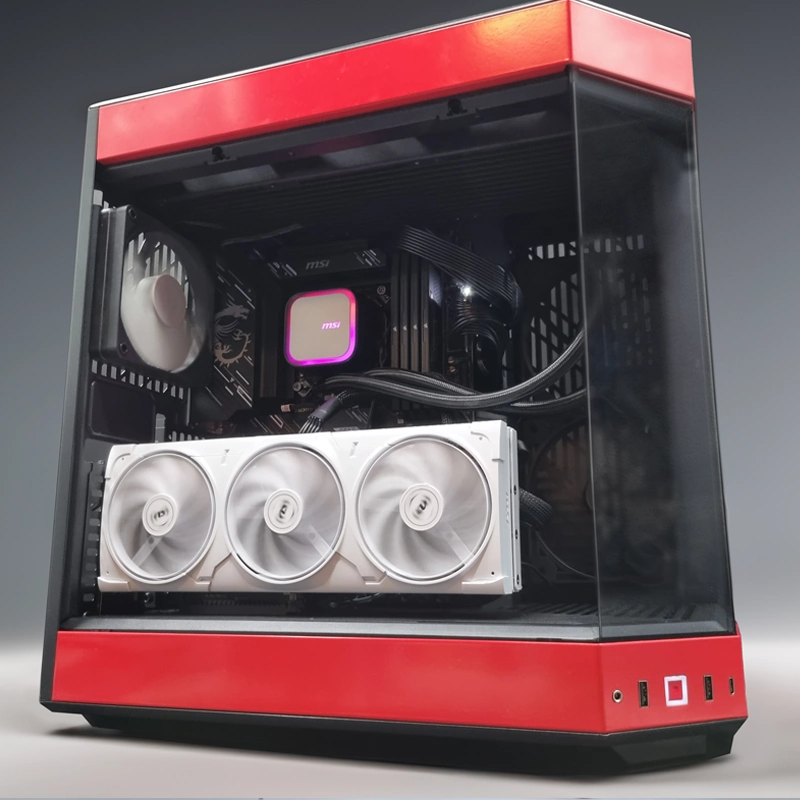
Congratulations EchoT - Winner of the Crimson Anniversary PC!


image.thumb.png.e95db113191ec99222d2295331fa2c6e.png

I'd like to take this time to thank all of our members for the support, we're really happy when someone with a lot of points wins! We're already working on packaging this bad boy up for EchoT!

The next PC is the Last Epoch PC

We've made a couple posts about it.


https://www.facebook.com/share/v/16RttMPgeo/ 

The reddit post is getting heaps of recognition! Pop in and drop a comment, or leave one here to let us know how you feel about this one.

We're doing it in just 2 weeks, so we are doing two computers this month!

1 Comment

Recommended Comments

EchoT

Members

Mine blown!

Guest
Add a comment...

Account

Navigation

Search

Search

Configure browser push notifications

Chrome (Android)
  1. Tap the lock icon next to the address bar.
  2. Tap Permissions → Notifications.
  3. Adjust your preference.
Chrome (Desktop)
  1. Click the padlock icon in the address bar.
  2. Select Site settings.
  3. Find Notifications and adjust your preference.