
Skip to content
View in the app

A better way to browse. Learn more.

The Crimson Market

A full-screen app on your home screen with push notifications, badges and more.

To install this app on iOS and iPadOS
  1. Tap the Share icon in Safari
  2. Scroll the menu and tap Add to Home Screen.
  3. Tap Add in the top-right corner.
To install this app on Android
  1. Tap the 3-dot menu (⋮) in the top-right corner of the browser.
  2. Tap Add to Home screen or Install app.
  3. Confirm by tapping Install.

News

Skipping for the first time

Unfortunately we will have to skip the Carnival for the first time due to technical issues :x

We have been working on improving LilithMommy, we want to make her sing (it's already pretty good).

Her model is also undergoing improvement, here is the current progress update.
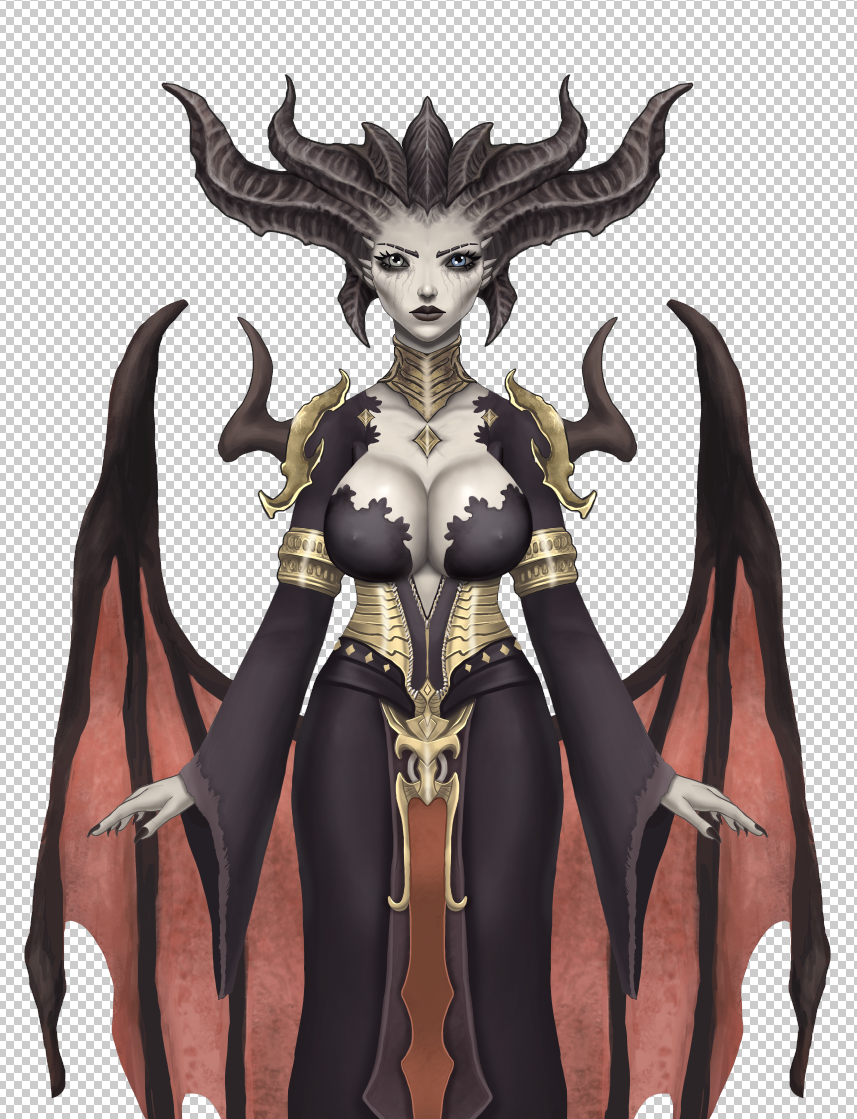
image.thumb.png.4bec29cc1baa6ad1ba3f010107a9e2d6.png

She will also have a few new dance moves soon.

We are also working on our third game for the Carnival and it's getting close, this one will be a lot more interactive as it will come with a Twitch extension and a way to also interact with it through the website for those people watching from other platforms who cannot use twitch.

We are at $5650 claimed which you have to admin, is pretty insane. Simply come and win every hour in our mini games, like a digital experience of a carnival!

See you next weekend!

0 Comments

Recommended Comments

There are no comments to display.

Guest
Add a comment...

Account

Navigation

Search

Search

Configure browser push notifications

Chrome (Android)
  1. Tap the lock icon next to the address bar.
  2. Tap Permissions → Notifications.
  3. Adjust your preference.
Chrome (Desktop)
  1. Click the padlock icon in the address bar.
  2. Select Site settings.
  3. Find Notifications and adjust your preference.
