

Skip to content
View in the app

A better way to browse. Learn more.

The Crimson Market

A full-screen app on your home screen with push notifications, badges and more.

To install this app on iOS and iPadOS
  1. Tap the Share icon in Safari
  2. Scroll the menu and tap Add to Home Screen.
  3. Tap Add in the top-right corner.
To install this app on Android
  1. Tap the 3-dot menu (⋮) in the top-right corner of the browser.
  2. Tap Add to Home screen or Install app.
  3. Confirm by tapping Install.

News

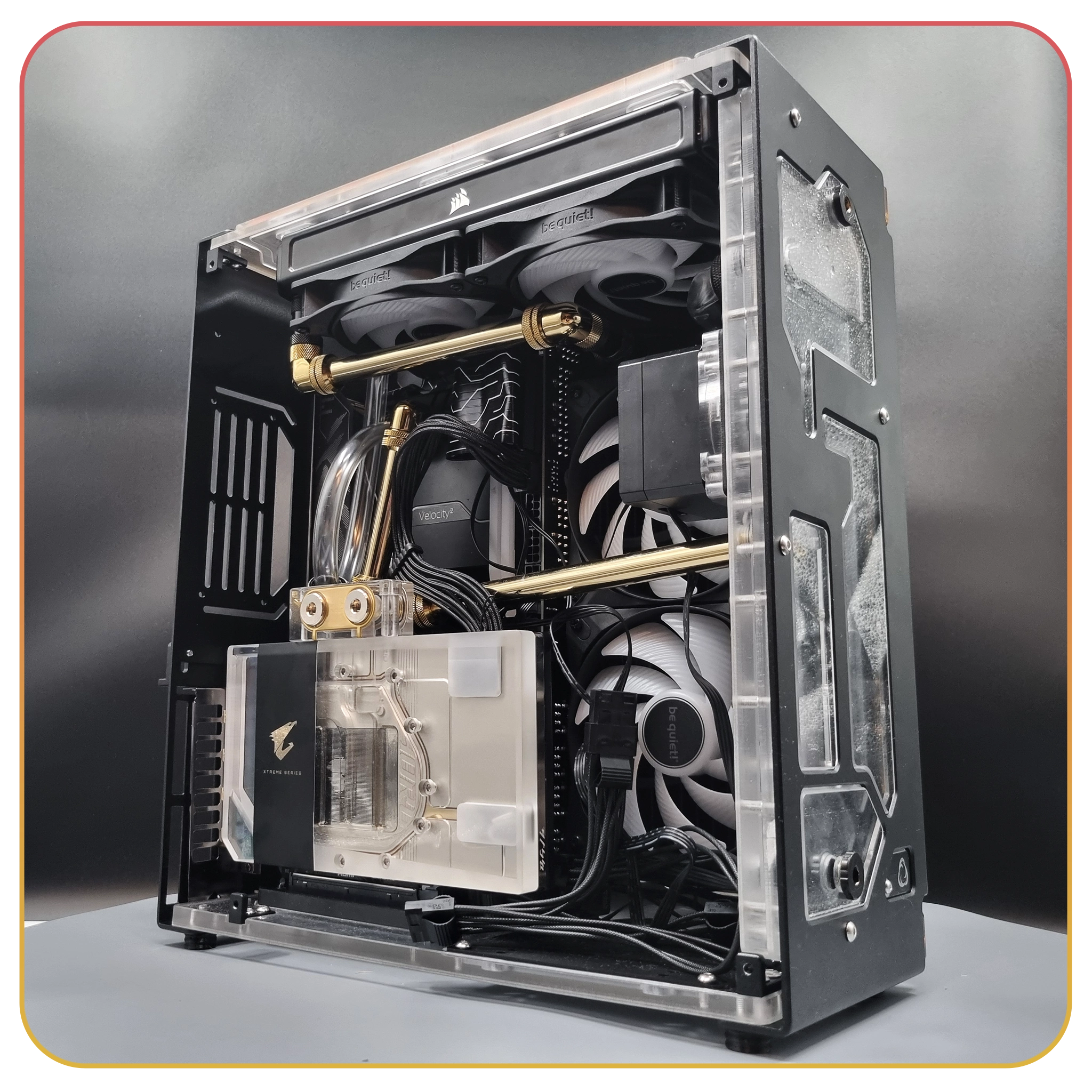
Kintsugi PC Giveaway happening in the next few hours!

This is a really nice PC, I almost don't want to send it away xD It's simple and elegant, it's got that see through, gold, theme and I love it.

It is themed to Elden Ring originally, we've got the Elden Ring symbol etched onto the glass which is pretty awesome!

Here's all the content.

Kintsugi Build Time Lapse

Kintsugi Elden Ring PC Show case

Kintsugi PC Unboxing

And we have 6 episodes of the walk through to build it.

Here is Part 1


Also you can check out the full written build log in the build log section of this club.

So it's in just a few hours on Raxx's stream, I wish you the best, we'll be revealing the "Crimson Computer" in the next few hours as well!

Edited by Merzal#1414

0 Comments

Recommended Comments

There are no comments to display.

Guest
Add a comment...

Account

Navigation

Search

Search

Configure browser push notifications

Chrome (Android)
  1. Tap the lock icon next to the address bar.
  2. Tap Permissions → Notifications.
  3. Adjust your preference.
Chrome (Desktop)
  1. Click the padlock icon in the address bar.
  2. Select Site settings.
  3. Find Notifications and adjust your preference.
